
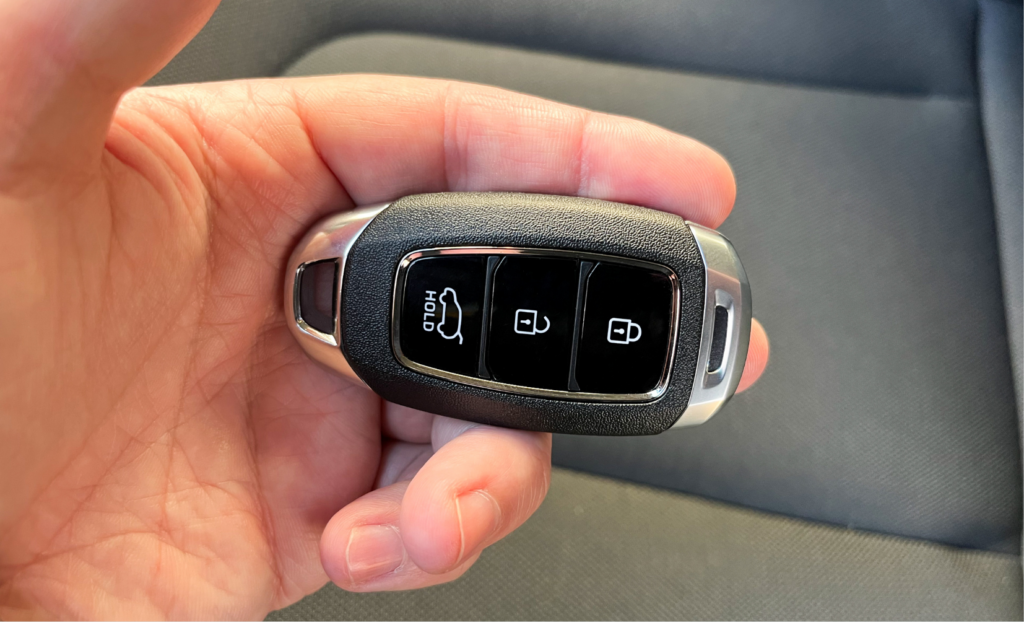
Is your remote locking working intermittently? Learn how to change a car key fob battery with our simple UK guide featuring step-by-step DIY instructions.
How to Change a Car Key Fob Battery
There are few daily occurrences quite as frustrating as walking out to your driveway, pressing your key remote, and having your vehicle remain completely silent. Modern car remotes provide incredible convenience, but like any electronic device, their internal power sources eventually drain. If your remote range has decreased recently or your dashboard is displaying a key warning light, learning how to change a car key fob battery is an essential skill every UK motorist should possess.
Many drivers assume that an unresponsive key requires an expensive trip to a main dealership or an auto locksmith. However, replacing the internal coin cell yourself is a simple task that costs only a few pounds and takes less than ten minutes. In this comprehensive DIY guide, we will show you exactly how to change a car key fob battery safely without scratching the plastic casing or damaging the internal circuit board.
Tell-Tale Signs Your Key Battery Needs Replacing
Key batteries generally last between three and four years. Catching the warning signs early ensures you will not be left stranded in a cold supermarket car park. Before learning how to change a car key fob battery, check for these warning signals:
- Reduced signal range: You find yourself needing to stand right next to the car door rather than unlocking it from down the driveway.
- Inconsistent button response: You have to press the unlock button multiple times before the indicators flash or the central locking responds.
- Dashboard warning notifications: Many modern UK vehicles display a persistent key battery low message on the digital instrument cluster.
Knowing how to change a car key fob battery as soon as these symptoms appear will save you the hassle of using the emergency mechanical blade to enter your vehicle.
5 Steps to Change Your Car Key Fob Battery
Replacing the internal cell is a straightforward job when you follow the correct sequence. Gather a small flathead screwdriver, a soft cloth to protect the surface, and your replacement coin cell before starting. Follow these steps to master how to change a car key fob battery at home:
1. Release the emergency mechanical key:
Most modern remote keys contain a hidden emergency metal key blade inside. Press the small release catch on the side or back of the casing and slide the metal key blade out completely.
2. Pry open the remote casing carefully:
Examine the seam where the two plastic halves meet or look inside the cavity revealed by removing the metal key. Insert the tip of your flathead screwdriver into the dedicated slot and gently twist to pop the two halves apart.
3. Note the battery orientation and remove the old cell:
Look closely at how the silver coin cell sits in its tray. Take a quick photo on your phone to confirm whether the positive plus sign faces upwards or downwards. Gently lift the old cell out using your fingernail or plastic tool.
4. Insert the new battery cleanly:
Slide your new coin cell into the housing in the same orientation. Hold the new battery by its outer edges rather than the flat faces, as natural oils from your fingers can reduce electrical conductivity over time.
5. Snap the casing closed and test the remote:
Align the two halves of the plastic casing together and press firmly around the edges until you hear them click back into place. Reinsert the mechanical key blade and press a button near your car to test the signal.
Identifying the Correct Battery Type
One of the most important aspects of learning how to change a car key fob battery is ensuring you purchase the correct replacement model. The vast majority of UK car keys rely on 3V lithium coin cell batteries.
The most widespread code is CR2032, though some manufacturers use CR2025 or CR2016 models. The numbers indicate the exact dimensions: a 2032 battery is twenty millimetres wide and 3.2 millimetres thick. Using an incorrect size will cause loose electrical connections and intermittent power loss. Check the code stamped on your old battery or consult your owner handbook before purchasing. Understanding how to change a car key fob battery correctly means selecting high-quality, branded cells that offer reliable long-term performance.
Common Pitfalls to Avoid
When practising how to change a car key fob battery, avoiding simple errors will preserve the delicate components inside:
- Forcing the plastic housing: Never try to lever the casing open with excessive brute force, as fragile plastic tabs snap easily.
- Inserting the battery upside down: Reversing the polarity (+ and -) stops the circuit from functioning.
- Bending the metal contact tabs: Use extreme care near the small metal contact prongs inside the tray, as bending them prevents proper contact with the new cell.
Once you understand these pitfalls, knowing how to change a car key fob battery becomes a quick, hassle-free maintenance task you can perform whenever necessary.
Frequently Asked Questions
Will my key fob lose its programming when I remove the battery?
In almost all modern vehicles, no. The remote memory is non-volatile, it retains its electronic pairing code with your car even when the power is completely disconnected for several minutes.
Where can I buy replacement coin cell batteries in the UK?
You can purchase standard lithium coin cells easily at most UK supermarkets, hardware shops, local pharmacies, or online retailers. They are widely available and very affordable.
What should I do if my key still does not work after changing the cell?
Pop the casing open again to double-check that the positive plus side faces the right direction and that the metal contact prongs are touching the battery surface. If it still fails, the internal circuit board may be damaged or require professional diagnostic testing.