
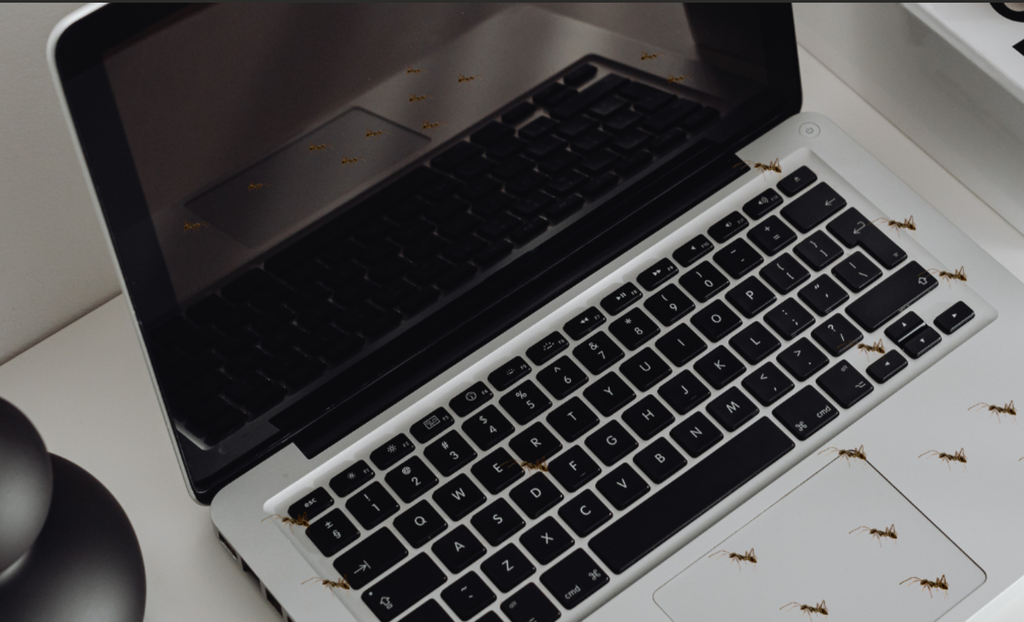
Learn how to remove ants from a laptop safely without damaging hardware. Discover effective traps, cleaning tips, and steps to prevent future infestations.
How to Remove Ants From a Laptop
Discovering a line of ants crawling in and out of your laptop keyboard or side ports is a frustrating surprise. When learning how to remove ants from a laptop, it helps to understand that ants are attracted to devices mainly because of the warm, enclosed environment created by the processor and battery, as well as any food crumbs or sugary drink residue trapped under the keys.
When figuring out how to remove ants from a laptop, it is essential to act carefully. Spraying liquids, harsh chemical cleaners, or household bug sprays directly on your device can short-circuit delicate electronic components or permanently damage the screen. Here is a safe, effective guide to clearing ants out of your machine without risking your hardware.
1. Power Down and Unplug Immediately
Your immediate priority when researching how to remove ants from a laptop is protecting the internal electronics from short circuits.
Take these immediate safety precautions:
- Shut down the laptop: Save your work and turn off the device completely.
- Disconnect power sources: Unplug the charging cable, remove all USB drives or peripherals, and take out the removable battery (if your laptop model has one).
- Leave it powered off: Do not turn the laptop back on until you are completely sure the infestation has been cleared.
2. Encourage Ants to Exit Naturally with Light and Air
Instead of poking tools into the vents—which can crush ants inside and cause electrical shorts—create an uninviting environment that forces them to leave voluntarily.
Use these gentle eviction techniques:
- Use a bright desk lamp: Ants prefer dark, sheltered spaces. Place your laptop open under a bright light or in a well-lit area to make the internal temperature uncomfortable and drive them out.
- Blow cold air through the vents: Use a hair dryer set strictly to cold/cool air (never use heat, which can melt plastic or overheat components) aimed at the intake vents to blow loose ants and eggs out.
- Avoid harsh chemicals: Never spray liquid insecticides, rubbing alcohol, or bleach directly onto the keyboard, cooling fans, or ports.
3. Set Up an Isolation Moat and Bait Trap
Isolating the laptop prevents ants from escaping back into your home while drawing out the remaining colony inside the casing. This is one of the most reliable methods when discovering how to remove ants from a laptop at home.
Build a safe containment setup:
- Create a dry island: Place a flat, shallow plastic container or tray inside a larger dish filled with water, creating a small moat around the island.
- Place the laptop on the island: Open your laptop screen fully and place the device on the dry plastic tray so ants cannot cross the water barrier into your room.
- Add sweet bait outside the laptop: Place a piece of cardboard with a small dab of sugary syrup or a commercial liquid ant bait right next to the laptop on the dry island. The ants will leave the dark internal chassis to feed on the external bait.
4. Clean the Keyboard and Exterior Chassis
Once the ants have stopped emerging, thoroughly clean off the food residue that attracted them in the first place.
Clean your device with these steps:
- Use canned compressed air: Hold a can of compressed air at a 45-degree angle and spray short bursts between the keyboard keys and into the side ports to dislodge debris and dead ants.
- Wipe with isopropyl alcohol: Lightly dampen a microfiber cloth with 70% or higher isopropyl alcohol (ensure it is not dripping wet) and wipe down the keyboard, trackpad, and outer shell to dissolve sticky residue and remove ant scent trails.
Frequently Asked Questions: How to Remove Ants From a Laptop
Here are common questions users ask about dealing with pest infestations in electronics.
1. Can ants damage my laptop internal components?
Yes. Ants can carry dust and moisture into the chassis, block airflow through the cooling fans (causing overheating), or bridge electrical contacts with their bodies, which can lead to short circuits on the motherboard.
2. Can I put my laptop in the freezer to kill ants?
No. Putting your laptop in the freezer creates internal condensation when brought back to room temperature. Moisture inside the casing can destroy your circuit boards and ruin the display.
3. What should I do if I am still unsure how to remove ants from a laptop that has a heavy infestation?
If ants continue to emerge after 24–48 hours, consider taking the laptop to a certified repair technician. They can safely unscrew the bottom case, disconnect the battery, and clean out the internal components using anti-static equipment.
Final Thoughts
Knowing how to remove ants from a laptop safely requires patience and non-invasive methods. By isolating the device, applying gentle light and airflow cues, setting external bait, and removing food residue, you can clear the infestation and keep your computer running smoothly.