
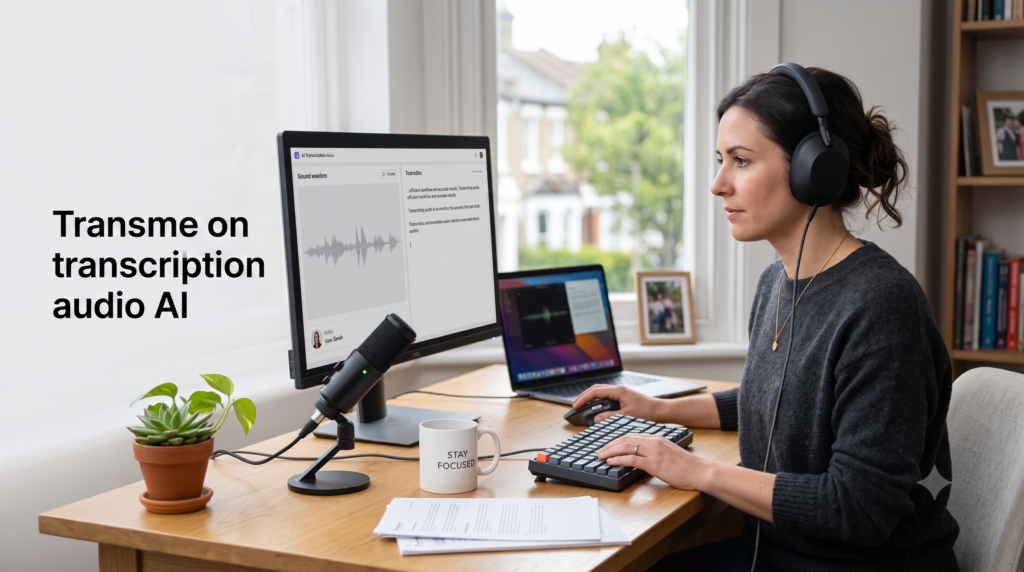
Discover how to transcribe audio with AI quickly and accurately. Follow our simple guide to convert podcasts, interviews, and meeting recordings into clean text.
Transcribing audio manually used to be one of the most tedious tasks for students, journalists, content creators, and business professionals alike. Typing out hours of interviews, lectures, or recorded meetings line by line often required twice or thrice the original recording length. Fortunately, recent developments in modern speech recognition have transformed this process entirely.
Knowing how to transcribe audio with AI allows you to convert spoken words into accurate written text in just a few minutes. Whether you need searchable meeting notes, transcripts for research, or captions for online video content, artificial intelligence tools can handle the heavy lifting for you.
This practical guide will take you through the entire process, from preparing your initial recording to reviewing your final transcript.
Why Use AI for Audio Transcription?
Before diving into the practical steps, it is helpful to understand why automated tools have become the standard solution for converting speech to text.
- Exceptional speed: Modern AI platforms can process a one-hour audio file in less than five minutes.
- Cost efficiency: Automated services cost a fraction of traditional manual transcription services.
- Built-in intelligence: Many current platforms can identify individual speakers, generate summary bullet points, and translate text into dozens of foreign languages automatically.
- Seamless searchability: Once your audio is transcribed, you can instantly search for specific keywords across hours of recordings.
Choosing the Right AI Transcription Tool
There are several types of AI transcription applications available today, depending on your specific requirements:
Real-Time Meeting Assistants
If you want to transcribe live virtual meetings on platforms like Zoom, Google Meet, or Microsoft Teams, dedicated meeting assistants like Otter.ai or Fireflies.ai automatically join your calls, take notes, and log key action items.
File-Based Transcription Services
If you already have pre-recorded MP3, WAV, or video files, web-based tools such as Sonix, Happy Scribe, or Rev allow you to drop in audio files and receive structured text files back quickly.
Creator and Media Editors
If you plan to produce podcasts or edit video footage alongside text, platforms like Descript or Riverside allow you to edit your media files directly by deleting or moving words within the transcript.
How to Transcribe Audio with AI: A Step-by-Step Guide
Follow these straightforward steps to convert your audio recordings into high-quality written text.
1.Prepare Your Audio Recording:Optimise your sound source.
Before uploading anything, ensure your audio file is as clear as possible. High background noise or faint voices can reduce transcription precision. Convert your file to a standard format like MP3, WAV, or M4A, and make sure the file size falls within your chosen platform limits.
2.Choose and Set Up Your AI Tool:Select your preferred service.
Select an AI transcription platform that matches your goal. Sign up for an account and log into the user interface. Most tools offer a free trial or monthly free allowance so you can test their performance before committing to a paid plan.
3.Upload or Record Your Audio:Transfer your recording.
Click the upload button within the application and select your file from your computer or cloud storage. Alternatively, if you are transcribing a live conversation or dictation, connect your microphone and click the live record option inside the browser or mobile application.
4.Configure Language and Speaker Settings:Fine-tune the parameters.
Select the primary language spoken in the recording. If your audio features multiple voices, enable speaker identification or diarization options. Some advanced platforms also let you upload a custom dictionary containing industry acronyms, brand names, or specialized terminology.
5.Review, Edit, and Export:Polish the final text.
Once the AI generates your transcript, use the interactive online editor to play back the audio alongside the text. Correct any minor spelling errors or misheard words, add custom speaker names, and then export the finished document in your desired format, such as TXT, Word, or SRT subtitles.
Common Mistakes to Avoid
While artificial intelligence has advanced rapidly, automated tools still rely on clear input. Here are a few common pitfalls to keep in mind when learning how to transcribe audio with AI:
Uploading Low-Quality Audio
AI models struggle with excessive background clutter, reverberation in large empty rooms, or multiple people speaking over each other at once. Always aim for a clear, quiet recording environment.
Relying on 100 Percent Unedited Output
Even the best artificial intelligence model can occasionally confuse homophones or mishear unusual technical terms and proper nouns. Always perform a quick skim review before publishing or submitting your transcript.
Overlooking Data Security and GDPR
If you are transcribing sensitive client interviews or confidential corporate discussions, ensure the platform you choose complies with relevant data protection regulations like GDPR. Avoid uploading confidential files to unverified free online converters.
Top Tips for Higher Accuracy
- Use a external microphone: A simple lavalier or USB condenser microphone drastically improves voice isolation compared to built-in laptop microphones.
- Provide initial context prompts: Many transcription tools allow you to provide a short list of key technical terms, acronyms, or proper names prior to processing.
- Keep speakers separate: If recording a podcast or interview with multiple remote guests, record each participant on a separate audio track whenever possible.
Conclusion
Mastering how to transcribe audio with AI is a valuable skill that saves significant time, boosts productivity, and turns voice recordings into versatile written content. By selecting the right platform, keeping your audio clean, and taking a few minutes to review the output, you can effortlessly turn any spoken recording into precise, professional text.
Frequently Asked Questions
How accurate is AI audio transcription?
On clear English recordings with minimal background noise, top AI transcription services can achieve accuracy levels between 90 and 98 percent. However, accuracy will decrease if the audio contains heavy background noise or overlapping conversation.
Can AI transcribe audio in multiple languages?
Yes, most leading AI transcription platforms support tens or even hundreds of languages, including options to translate spoken foreign speech directly into English text.
How long does AI take to transcribe an audio file?
Automated transcription typically takes less than half the actual runtime of the audio file. A standard 30-minute podcast episode usually takes under two minutes to process.